OTC desk bookkeeping for USDT payments
For OTC desks and payment operators that settle in USDT on TRON and Ethereum: one ledger of every transfer into and out of your addresses, each counterparty named once, and each day's payments listed, with totals, to check against your order book. That check, USDT payments reconciliation, stays with your team; Chainbook gives it a complete, searchable list.
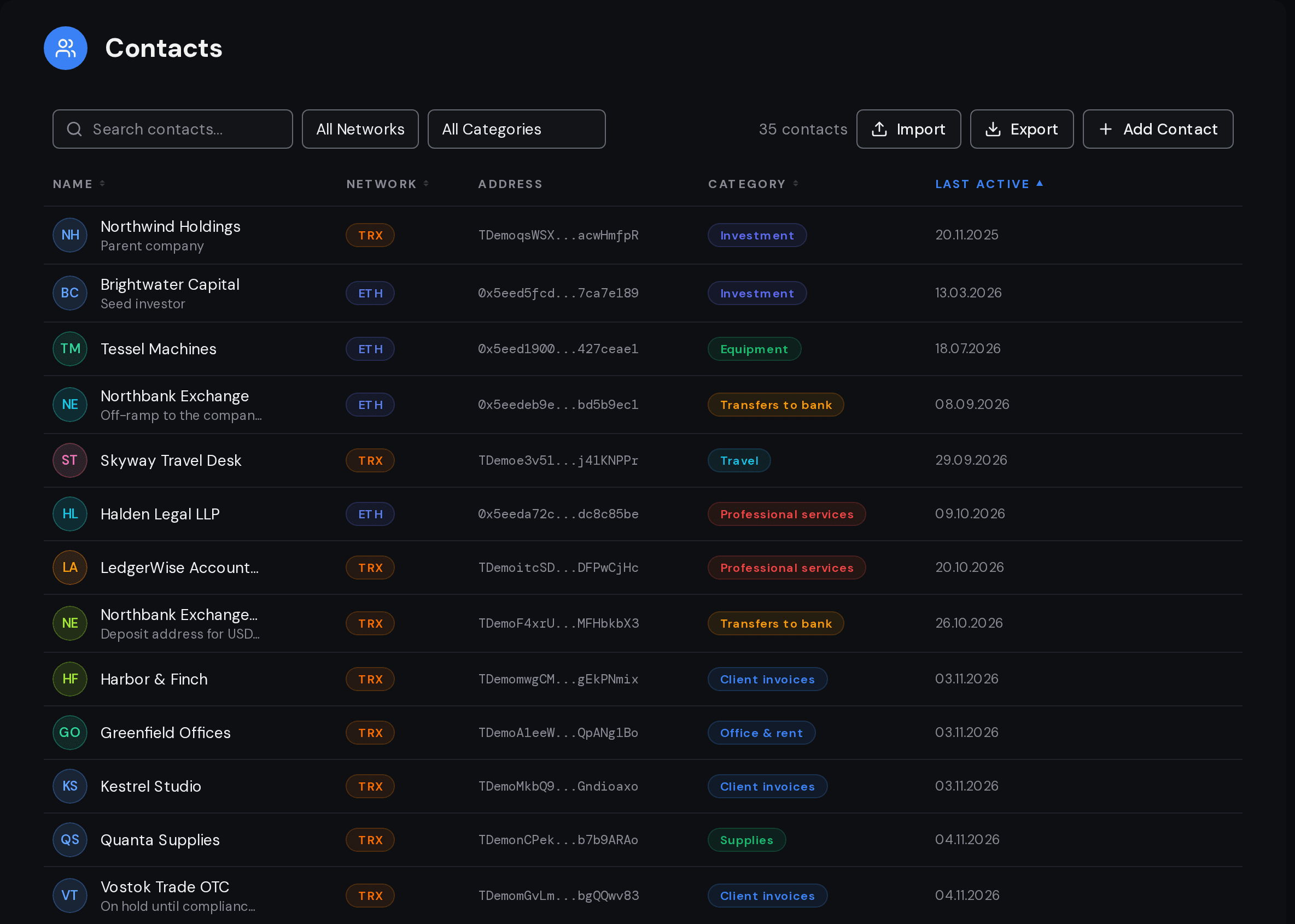
This page describes a workflow, not a customer story: how Chainbook is used for this job.
When every counterparty is an address
- Counterparties pay in and get paid out all day, and each of them is a string of characters nobody remembers.
- A customer says the money left their account an hour ago, and someone opens an explorer to hunt for the hash.
- The day's totals are rebuilt in a spreadsheet from copied rows, and a missed row turns up a week later.
- Moves between your own addresses look like payments unless someone marks them.
A desk's day in four steps
- Step 1
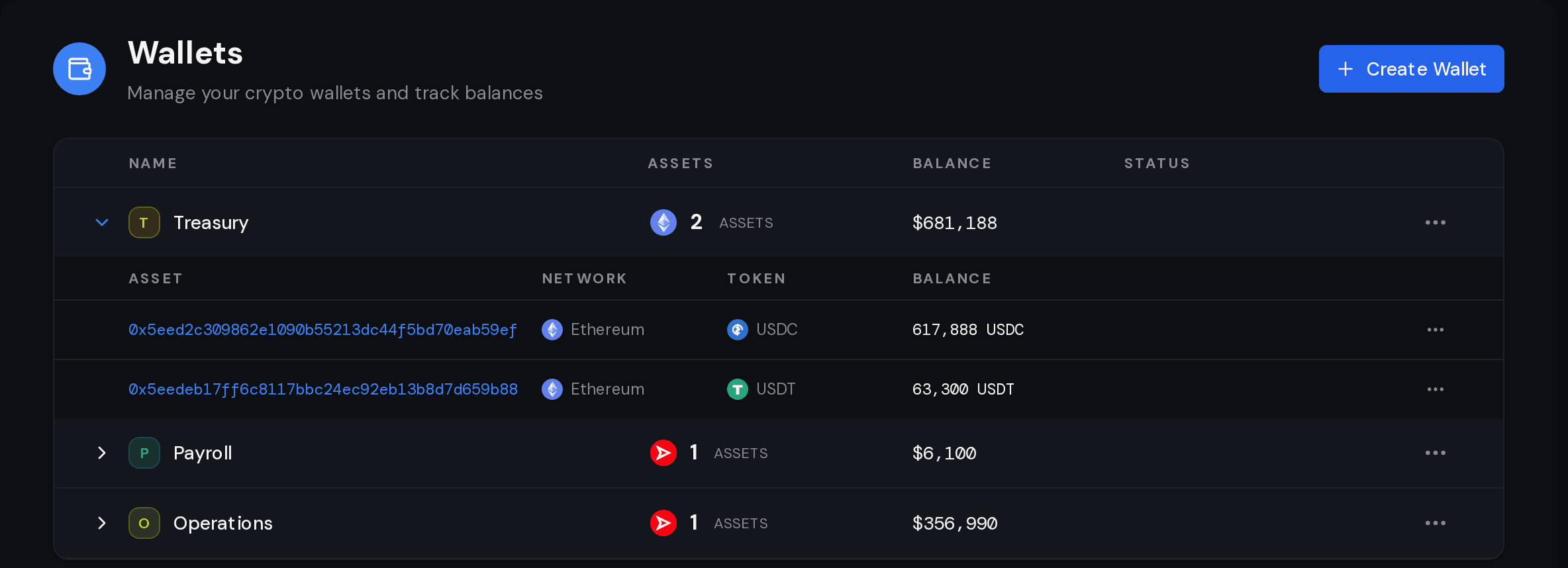
Group the desk's addresses
Add the addresses you receive on and pay from to wallets, one per desk or purpose. A wallet holds up to 20 addresses, one per token, on either network.
- Step 2
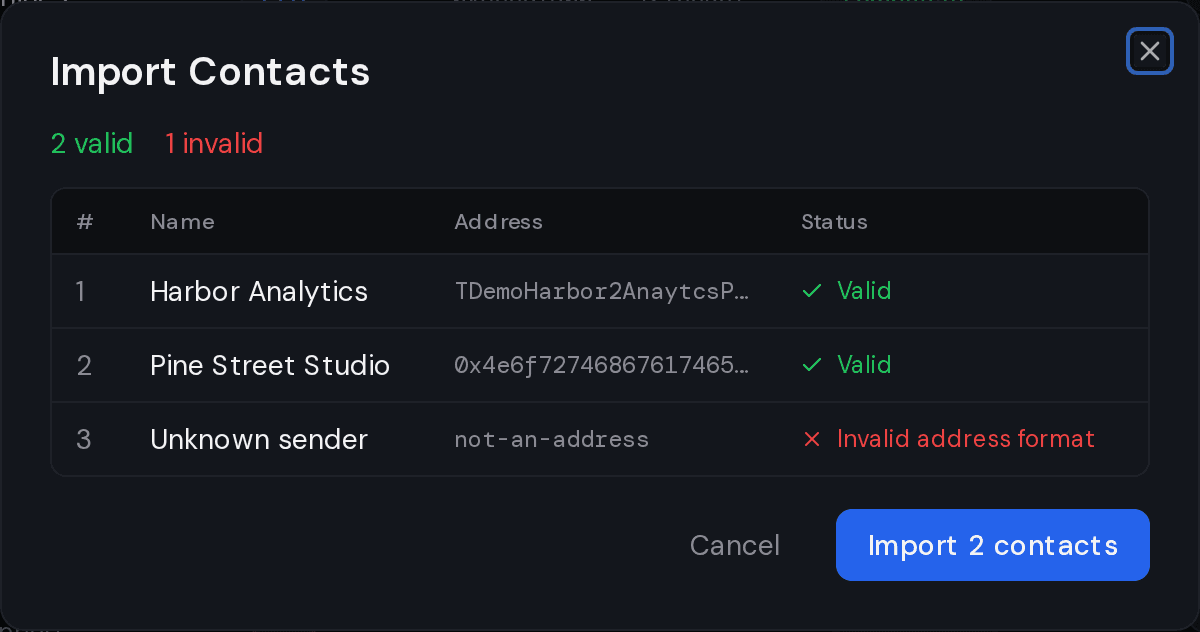
Load your counterparty list
Import contacts from a CSV file with a name and an address on each row, up to 500 contacts per import. Rows with an invalid address are marked before anything is saved.
- Step 3
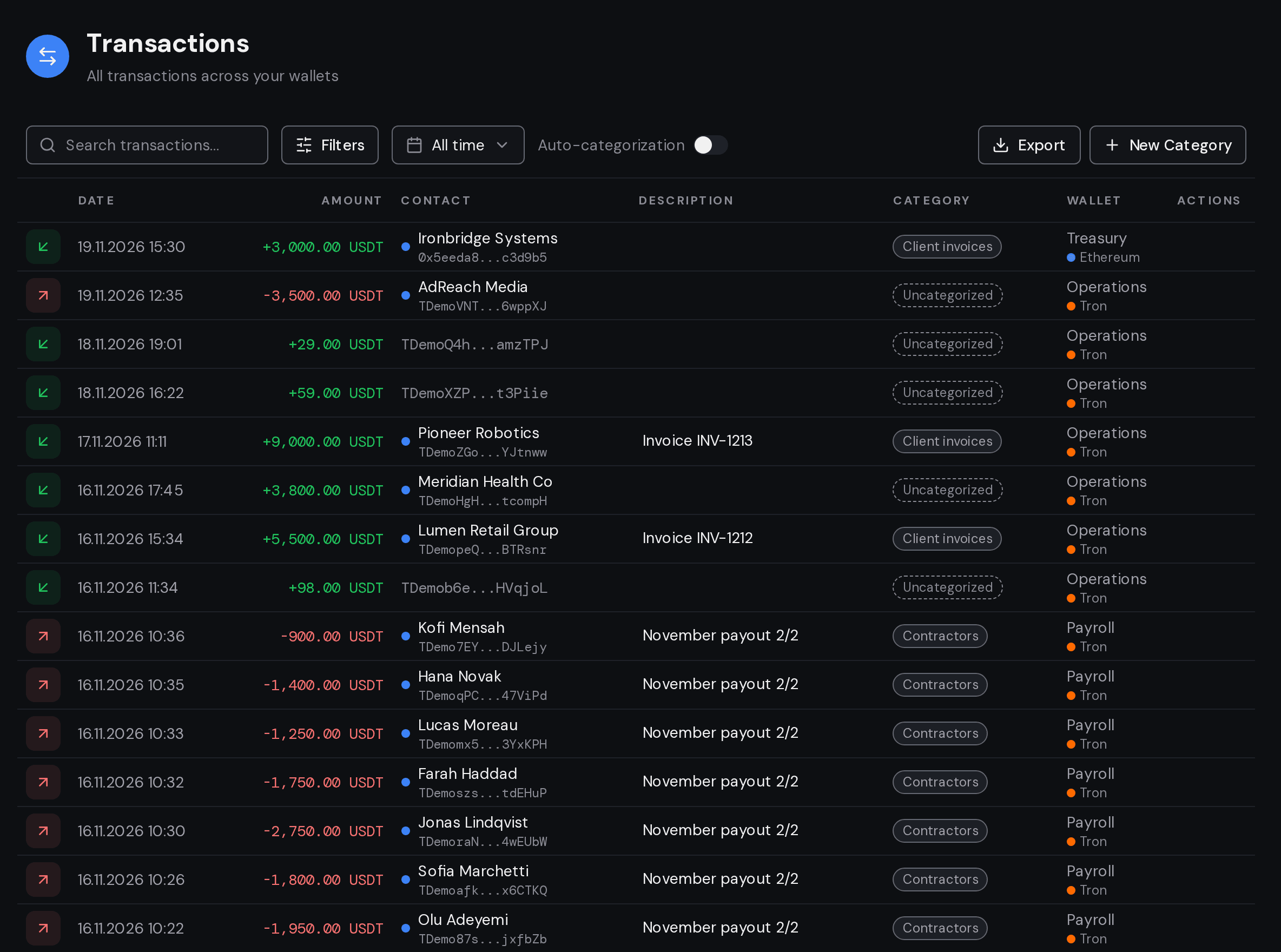
Check the day
Filter the ledger to the day you are closing. Under the list, Total In, Total Out and Net add up the filtered transfers by direction, moves between your own addresses and swap legs included.
- Step 4
File the day
Export the filtered list as a CSV file and keep it with the day's records, or set it beside your order book in a spreadsheet.
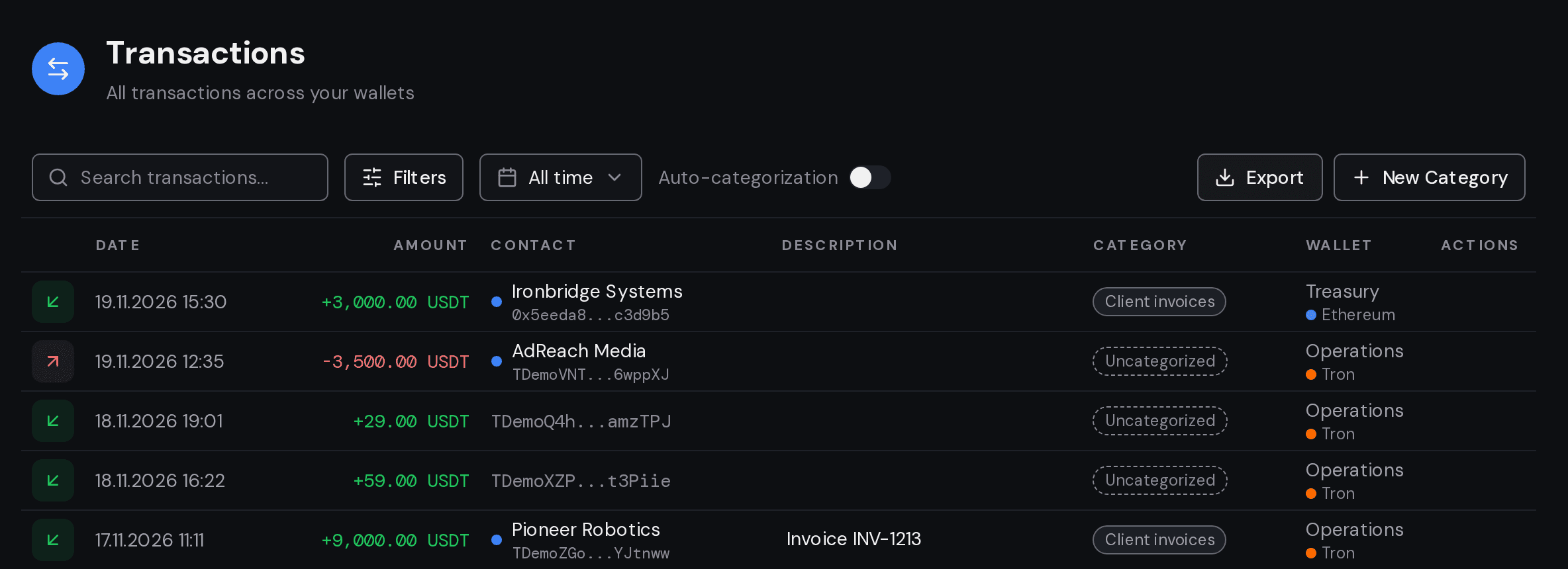
Name each counterparty once
A contact is one address on one network, with a name, notes and an optional default category. A counterparty that uses several addresses gets one contact per address, all with the same name; searching for that name then lists its transfers from every address.
With automatic categorization switched on, a contact's default category, such as Client settlements or Liquidity, goes to its uncategorized transfers, and again after each import that brings new ones.
What a daily check can rely on
Each address is checked every 10 minutes and every transfer the explorer lists is imported, so the day's list is complete up to the last successful check, not up to the last copy and paste.
Search finds a transfer by its hash, by either address or by an exact amount typed without commas, and the date filter limits the list to the day in question. When a counterparty disputes a payment, the hash in its details links to the explorer's own record.
Volume, and the limit of each address
Up to 10,000 transactions per tracked asset (one address with one token); an asset that reaches that stops importing and keeps its history, and the others keep syncing. The limit is the same on every plan.
Earlier transfers count toward it as well as new ones, so a desk that settles many small payments should look at how many transfers its addresses already have before adding them.
Descriptions have a limit of their own. Free allows 20 descriptions in all, not per month; Pro has no limit.
Who at the desk sees which wallet
Share each wallet with the people who work on it, by email, with view or edit access. View is enough to read the transactions, categories and descriptions; edit also lets a colleague write descriptions and set categories.
How many people one wallet can be shared with depends on your plan (Free: 1 person per wallet; Pro: up to 5), and invitations not yet accepted count too.
Contact names are not shared: each person's contacts are their own. To see the same names, each colleague imports the same contact file once.
The parts of Chainbook a desk uses
| Contacts and categories | Counterparties by name, imported from a CSV file |
|---|---|
| Transactions | Search by hash, address or exact amount, and filter by date |
| Wallet import | The desk's addresses on TRON or Ethereum |
| CSV export | Each day's transfers as a file |
| Plan | Pro for a desk with many wallets and descriptions; Free to try the workflow on a few addresses |
What it does not do
- It does not import native TRX and ETH transfers, or tokens other than USDT and USDC.
- It does not send, hold or freeze funds.
Questions
Can I mark a transfer as reconciled?
Not as a status: Chainbook has none. Write it in the transfer's description, or keep the mark in your own records. Descriptions count toward your plan's allowance.
Are network fees part of the ledger?
Not as rows. For a transfer your address sent, its details show the fee in the network's own coin (TRX on TRON and ETH on Ethereum); a transfer you received shows "Paid by another account".
What if a payment comes from an address we have never seen?
It is imported like any other, with the bare address. The dashboard's Needs Attention card counts counterparty addresses without a contact until you save one.
Related pages
- USDT transaction trackerTrack USDT payments on TRON and Ethereum in one ledger: every transfer of your addresses, synced every 10 minutes, with names instead of addresses.
- Contacts and categoriesName a counterparty's address once as a contact with a default category. Import and export contacts as CSV.
- TransactionsEvery transfer typed as income, expense, internal transfer or swap. Search by description, address, hash, category, contact or amount, and label in place.
- Reconcile crypto paymentsHow to reconcile crypto payments: compare the payments you expected with the transfers on the blockchain, match them, and resolve what does not match.