Name an address once, and the ledger shows the name
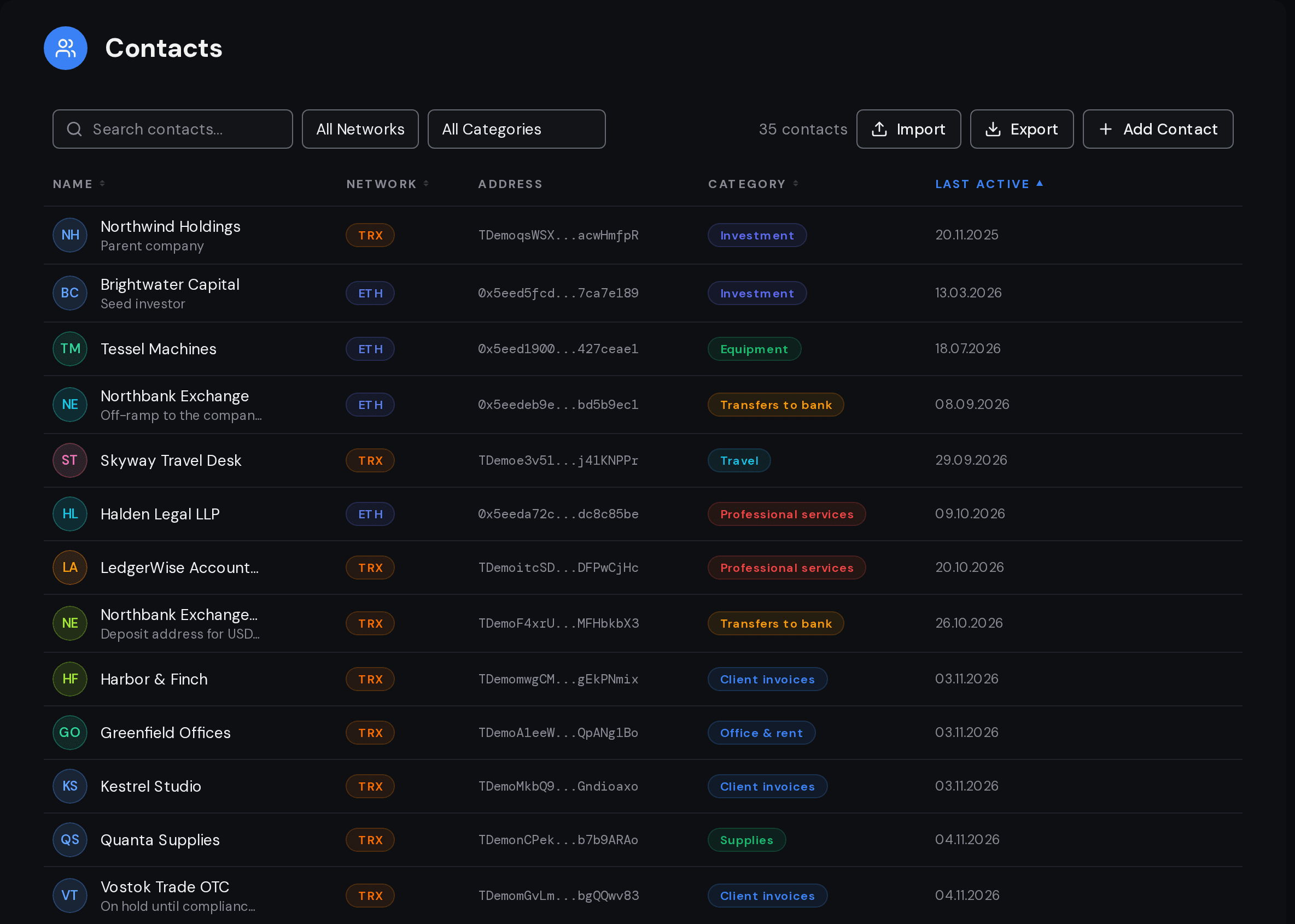
Save a counterparty's address as a contact with a name, a default category and notes. Every transfer to or from that address then shows the contact's name instead of the address.
How it works
- Step 1
Add a contact
Enter a name and the address, and pick a default category if you want one. The network is read from the address.
- Step 2
Or import a file
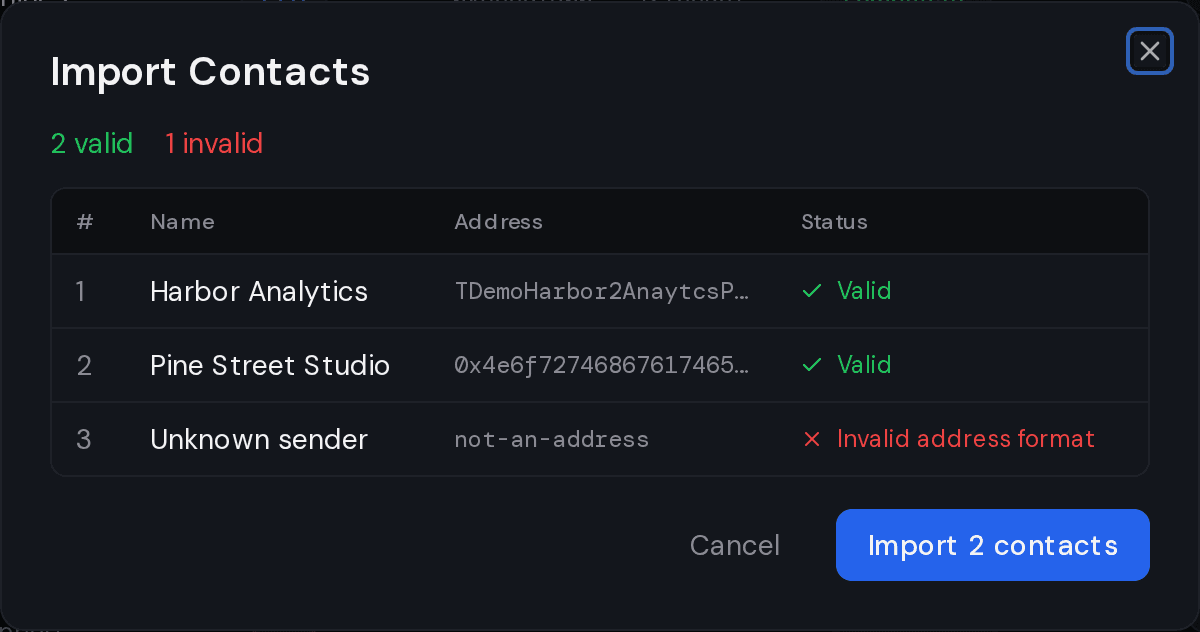
Upload a CSV file. Before anything is imported, the preview marks the rows whose address is not valid.
- Step 3
Default categories fill in
While automatic categorization is on, each contact's default category is given to its uncategorized transactions: once when you switch it on, and after every import that brings new transfers.
Limits and formats
| CSV import | Up to 500 contacts per import; each row needs a name and an address, and the network and notes are read when present |
|---|---|
| CSV export | All your contacts, from the contacts page |
| Categories | Your own list, used on transactions and as contacts' defaults |
| One contact | One address on one network |
What it does not do
- Automatic categorization does not change a category that is already set.
- The import does not read a Category column, so contacts exported and imported again lose their default categories.
Questions
Do people I share a wallet with see my contact names?
No. Contacts belong to the person who saved them. People you share a wallet with see its transactions, categories and descriptions, with their own contact names.
Does a contact need a default category?
No. A contact without one still puts its name on its transfers; only automatic categorization needs a default category.
A company pays me from several addresses. What do I do?
Save a contact for each address, with the same name and default category.
Related pages
- TransactionsEvery transfer typed as income, expense, internal transfer or swap. Search by description, address, hash, category, contact or amount, and label in place.
- CSV exportDownload transactions, contacts, the wallet summary and analytics as CSV files with fixed columns, for your accountant.
- AgenciesHow a Web3 agency paid in USDT and USDC names clients and contractors as contacts, shares wallets with its team, and exports CSV for its accountant.
- Crypto bookkeeping for a small businessCrypto bookkeeping for a small business as a monthly routine: what to set up first, the steps of each month, and what your accountant receives.