Where your USDT and USDC came from and went, month by month
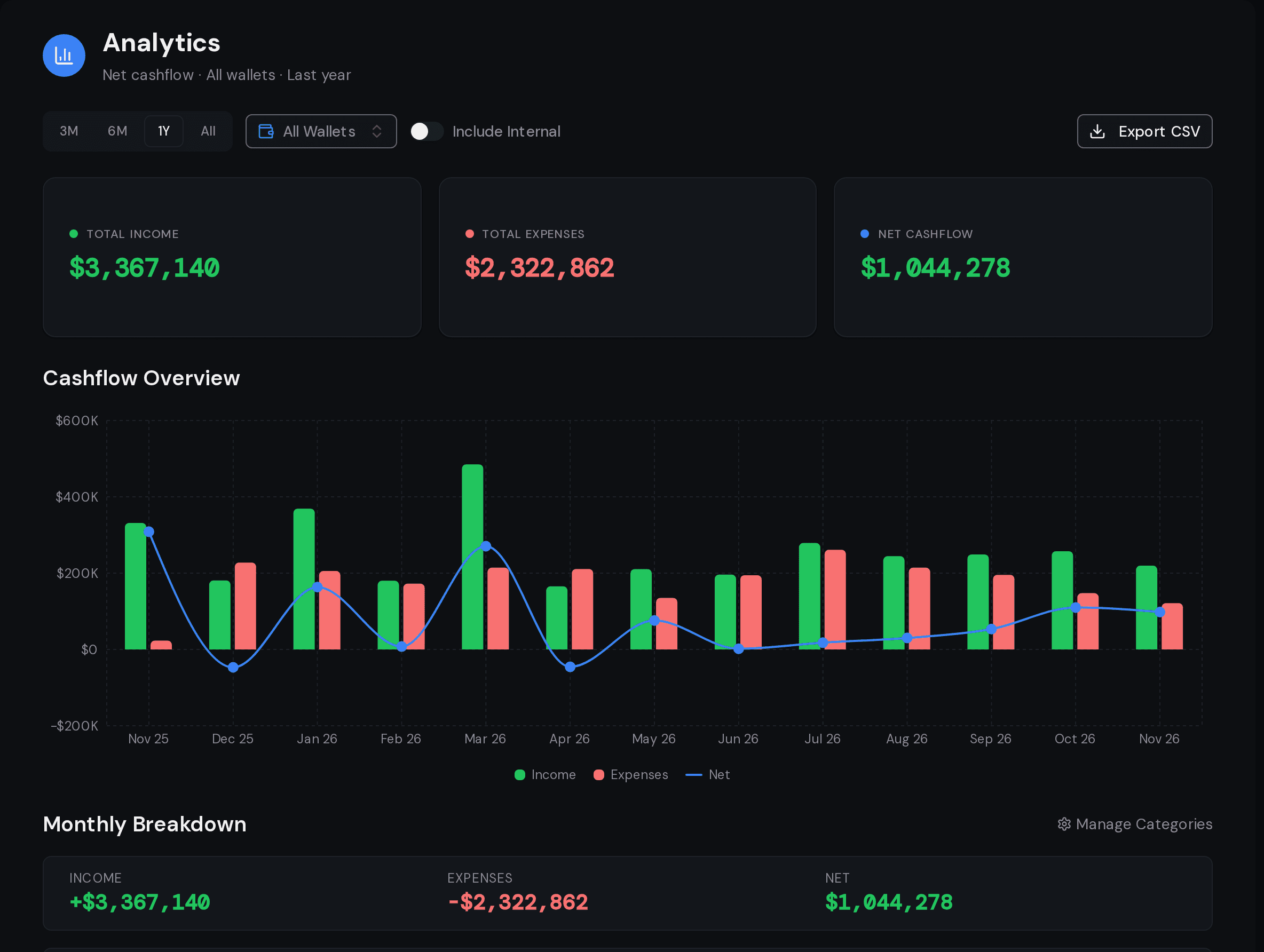
The analytics page totals income, expenses and net cashflow for the period you choose, each with its change from the period before. Each month breaks down by category, and each wallet's balance at the end of each month is listed.
How it works
- Step 1
Pick a period and wallets
Choose the period and which wallets to count: all of them, or the ones you select.
- Step 2
Read the totals
A chart shows income and expenses for each month, with a line for the net.
- Step 3
Open a category
Each month lists its categories. Open one to see its latest transactions, with a link to all of them in the ledger.
Limits and formats
| Internal transfers | Internal transfers are left out of the totals. Switching on Include Internal adds the incoming ones to income and net cashflow; expenses never include them. |
|---|---|
| Dollar amounts | One USDT or USDC counts as one dollar |
| Plans | On every plan |
What it does not do
- It does not file tax returns or produce statements in an accounting program's format.
Questions
Can I export the figures?
Yes, as a CSV file with the columns Month, Section, Category, Amount, Percentage.
What is the month-end balance?
Each wallet's balance at the end of each month, worked out from the transfers imported for it.
Why are internal transfers left out?
Money moved between your own wallets is neither earned nor spent by the account as a whole.
Related pages
- TransactionsEvery transfer typed as income, expense, internal transfer or swap. Search by description, address, hash, category, contact or amount, and label in place.
- CSV exportDownload transactions, contacts, the wallet summary and analytics as CSV files with fixed columns, for your accountant.
- DAO treasuriesHow a DAO tracks grants and contributor payments in USDT and USDC by month and category, gives its committee view access, and exports the figures.
- Stablecoin accounting: recording USDT paymentsA bookkeeping workflow for USDT and USDC payments: what to record when a payment arrives or leaves, how to label it, and what to hand to your accountant.