Export your USDT and USDC transactions to CSV for your accountant
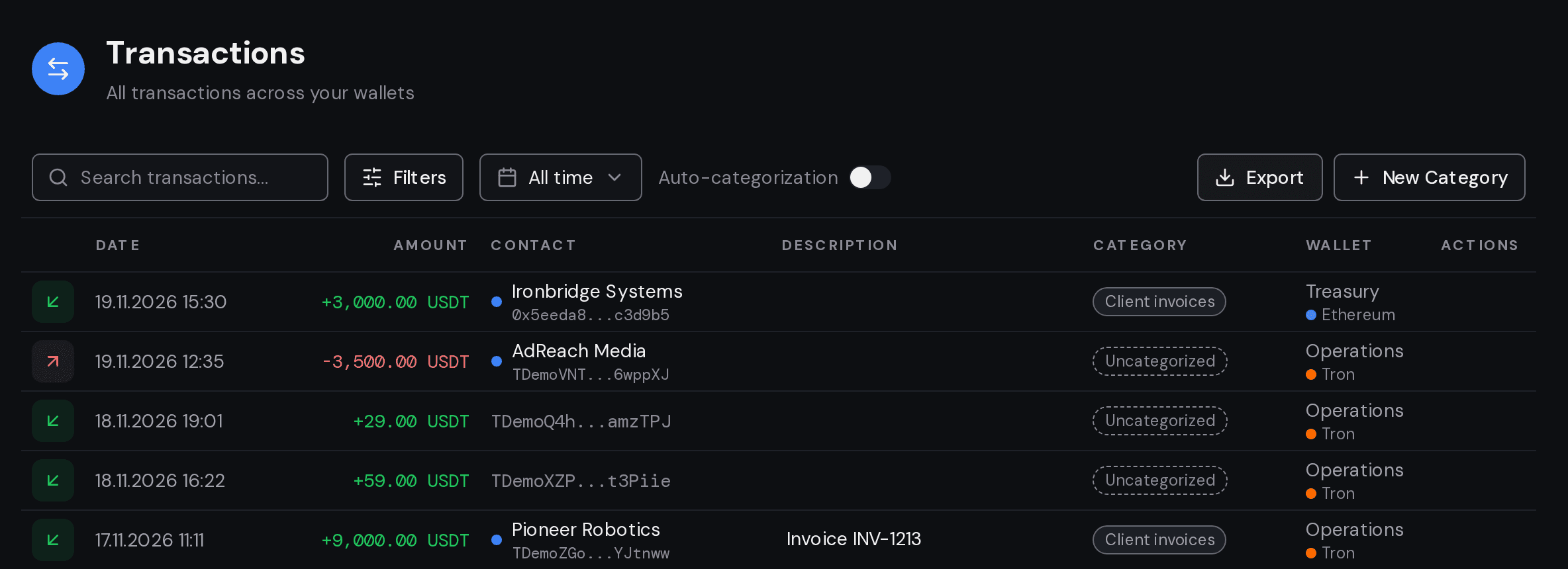
Download the transactions the ledger shows, with the filters you set, as a CSV file. Contacts, the wallet summary and the analytics export as CSV files too.
How it works
- Step 1
Narrow the list
Filter the ledger by dates, type, wallet, contact or category: the file holds what the list shows.
- Step 2
Export
Choose Export above the ledger, or in the filter panel on a phone.
- Step 3
Open it in a spreadsheet
The transactions, contacts and wallet summary files put every value in double quotes. In every file, text that starts with =, +, - or @ gets an apostrophe in front, so a spreadsheet does not run it as a formula.
Limits and formats
| Transactions | Date, Amount, From, To, Description, Category, Wallet, Asset, Hash |
|---|---|
| Transactions: formats | Date as DD.MM.YY HH:mm in the server's time zone; Amount as a + or - sign for the direction, the amount and the token |
| Contacts | Name, Address, Network, Category, Risk, Last Active, Notes |
| Wallet summary | Wallet name, In, Out, Balance, History |
| Analytics | Month, Section, Category, Amount, Percentage |
| Size | Up to 50,000 rows per file |
What it does not do
- It does not produce tax forms or a file for a particular accounting program: the files are plain CSV.
Without an account
For an address you do not keep in Chainbook, the free USDT transfer export makes a CSV file of its most recent transfers as the explorer lists them, with no names or categories, and needs no sign-up.
Questions
Whose contact names are in the From and To columns?
Yours: the name of your contact at the address, or the address when you have none.
What happens when an export is too large?
Chainbook refuses it and asks you to narrow the list with dates or filters. It never sends a shortened file.
Is CSV export on the Free plan?
Yes. Every plan exports every file.
Related pages
- Contacts and categoriesName a counterparty's address once as a contact with a default category. Import and export contacts as CSV.
- Team accessInvite your accountant or a colleague to a wallet by email, with view or edit access to its transactions, categories and notes.
- AccountantsHow an accountant gets read-only access to clients' USDT and USDC wallets, sees several clients in one login, and exports CSV with fixed columns.
- USDT TRC-20 transaction history as CSVHow to get the USDT TRC-20 transaction history of a TRON address as a CSV file, what the file holds, and how to check that it is complete.