Crypto bookkeeping for accountants: read-only access to your clients' wallets
For accountants whose clients are paid in USDT and USDC: instead of a spreadsheet of copied rows, ask each client to give you read-only access to their wallets in Chainbook. You see every transfer with its category and description, cannot change them, and export one CSV file with the same columns for all of them.
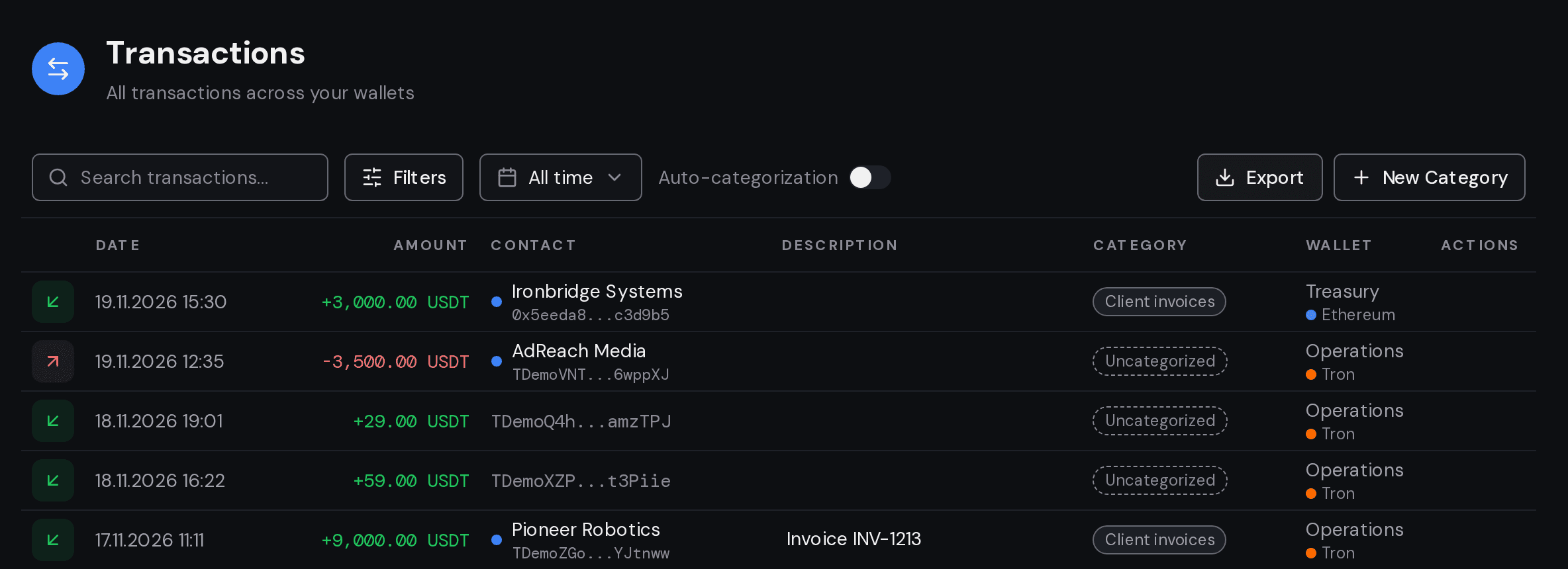
This page describes a workflow, not a customer story: how Chainbook is used for this job.
When the books arrive by email
- The client sends a spreadsheet of copied transfers, and you cannot tell whether a row is missing.
- Every counterparty is an address, so each line needs a question back to the client.
- Each client's file has its own layout, with dates written its own way.
- You need to read the books, not to be able to change them.
From a client's invitation to your file
- Step 1
Your client shares a wallet
In the wallet's Share dialog, the client enters your email address and chooses view access.
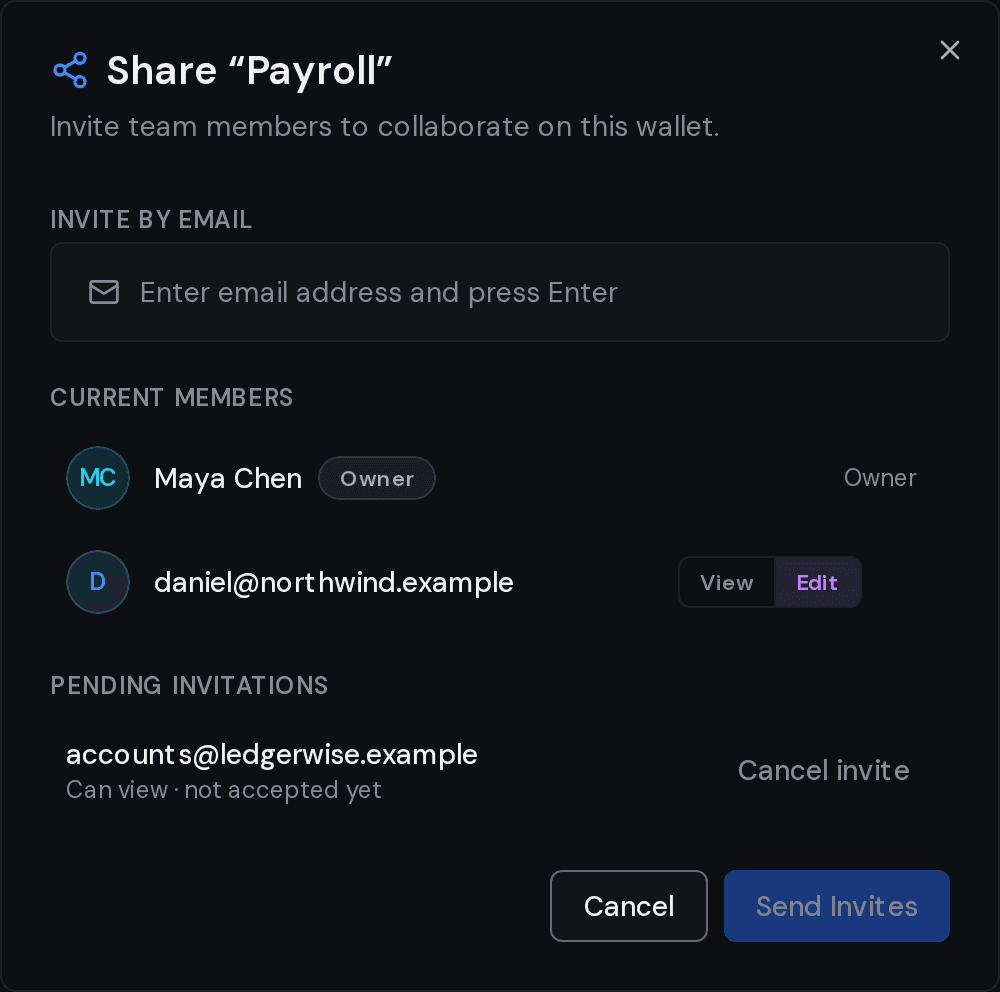
- Step 2
You accept
You get an email and open its link, signed in with that email address: create an account with it first if you have none, and verify it. The wallet then appears under Shared with me, with its owner's name.
- Step 3
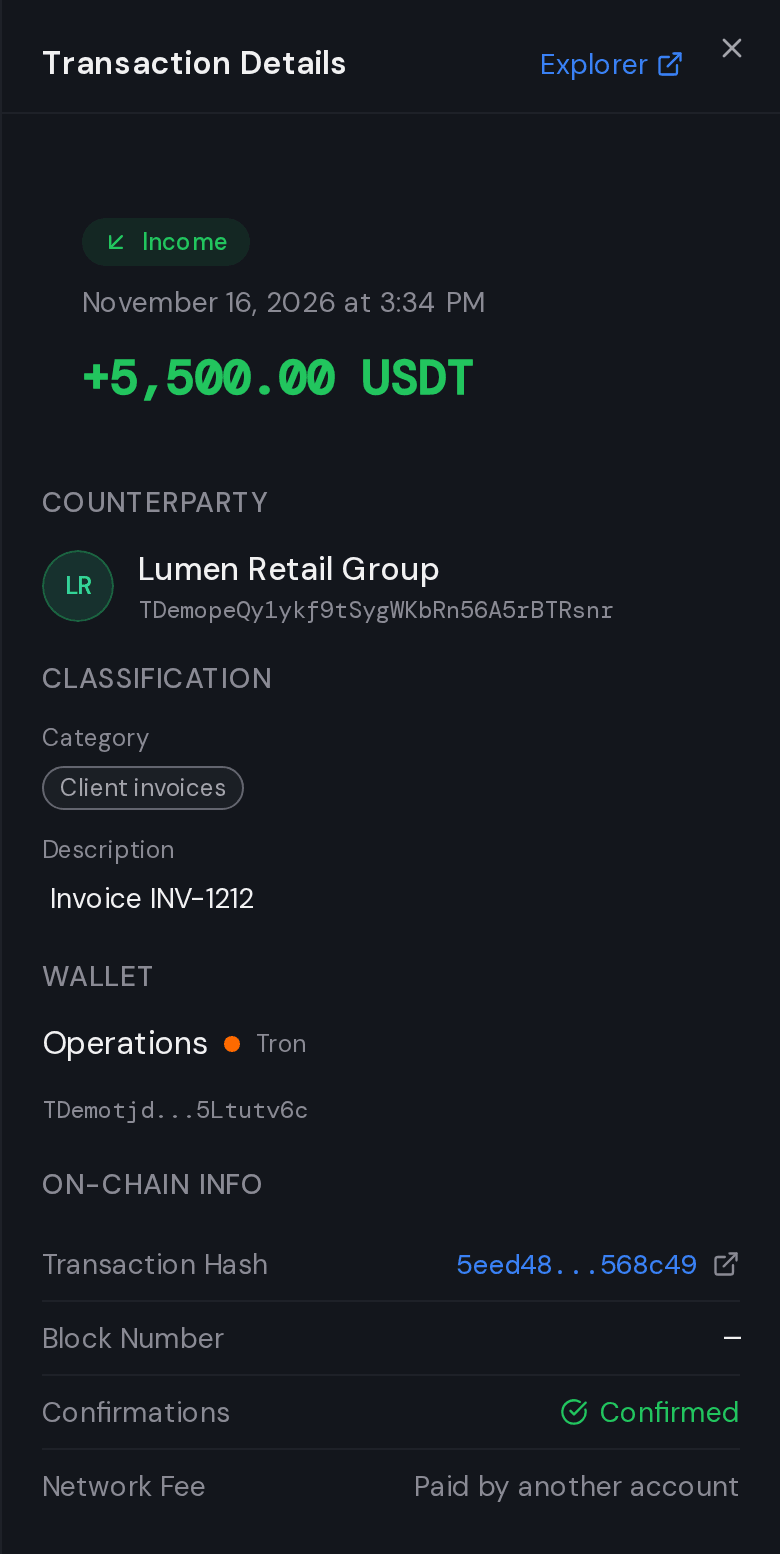
Read the ledger
The client's transfers appear in your ledger with the categories and descriptions the client set. Where the client sees a contact's name, you see the address.
- Step 4
Export one file
Export the transactions as one CSV file: every client's wallets are in it, told apart by the Wallet and Asset columns.
View or edit, chosen by your client
A Chainbook wallet is a named group of addresses, and access to it is access to its books, never to funds. View access lets you read; edit access also lets you write descriptions and set categories.
Several clients in one login
Every client invites the same email address, so all their wallets appear under Shared with me, each with its owner. You need no paid plan of your own.
Shared wallets join your ledger and your analytics, with any wallets of your own, and the wallet filters list only the wallets you own. So one export holds every client together, and the analytics page and its file add up every wallet you can see, with no wallet column: with several clients, work from the transactions file.
In that file, the Wallet column holds the wallet's name, and different clients may each call a wallet Main. The Asset column holds the address, which tells them apart.
The same columns for every client
The transactions file has the columns Date, Amount, From, To, Description, Category, Wallet, Asset, Hash, with dates written as DD.MM.YY HH:mm. Names, descriptions, categories and wallet names that start with =, +, - or @ get an apostrophe, so a spreadsheet does not run them as formulas.
The parts of Chainbook an accountant uses
| Team access | Read-only access to a client's wallet, by invitation |
|---|---|
| CSV export | The same columns for every client |
| Transactions | Each transfer with its record, category and description |
| Cashflow analytics | Monthly totals by category, for all the wallets you can see together |
| Plan | None on your side: the client's plan sets how many people each wallet can be shared with (Free: 1 person per wallet; Pro: up to 5) |
What it does not do
- It does not prepare tax returns or produce statements in an accounting program's format.
- There is no access to a client's whole account, only to the wallets shared.
- You cannot invite others to a client's wallet; only its owner can.
Questions
Can I add notes to a client's transfers?
With edit access, yes. A description you write counts toward your client's plan allowance, not yours.
Will I see my client's contact names?
No. Contacts belong to the person who saved them. The From and To columns of your export show your own contact names, or the address where you have none.
What happens when a client stops working with me?
The client can change your access or remove you at any time, and you can leave a wallet yourself. An invitation that is not accepted expires, and the client can send it again.
Related pages
- Team accessInvite your accountant or a colleague to a wallet by email, with view or edit access to its transactions, categories and notes.
- CSV exportDownload transactions, contacts, the wallet summary and analytics as CSV files with fixed columns, for your accountant.
- Crypto bookkeeping softwareBookkeeping for USDT (TRON and Ethereum) and USDC (Ethereum) wallets, for small teams, at public prices: what it does and what it is not.