USDT transaction tracker for TRON and Ethereum wallets
Track USDT payments on TRON and Ethereum in one ledger, USDT TRC-20 and USDT ERC-20 side by side. Add a public address, and Chainbook reads its USDT transfers from the public blockchain record (Tronscan and Etherscan), checks it every 10 minutes for new ones, and lists each payment with its direction, amount and counterparty.
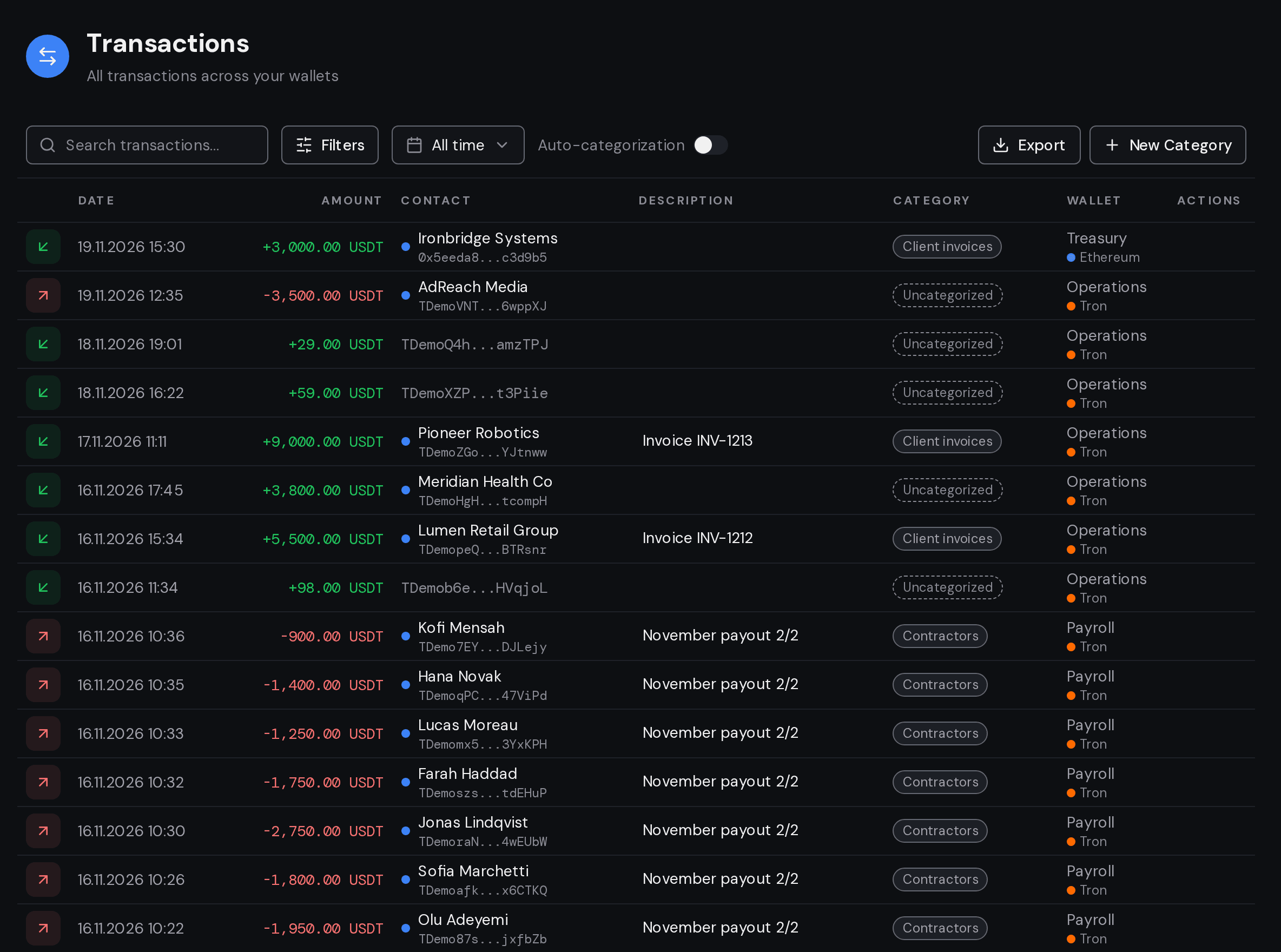
One business, addresses on TRON and Ethereum, one ledger
- Step 1
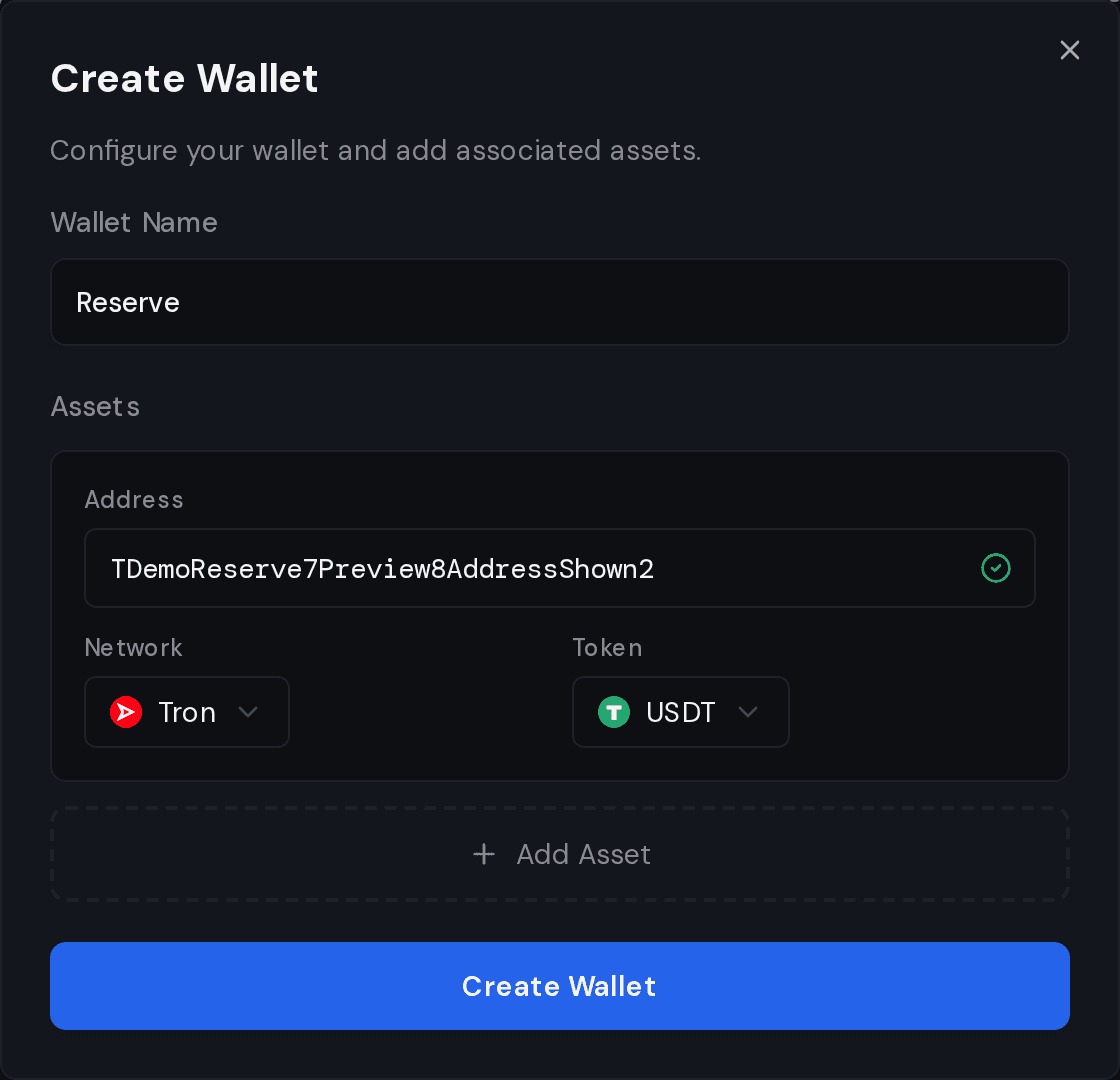
Add the TRON address
TRON addresses start with T and are 34 characters long. Create a wallet, paste it, and choose TRON as the network and USDT as the token.
- Step 2
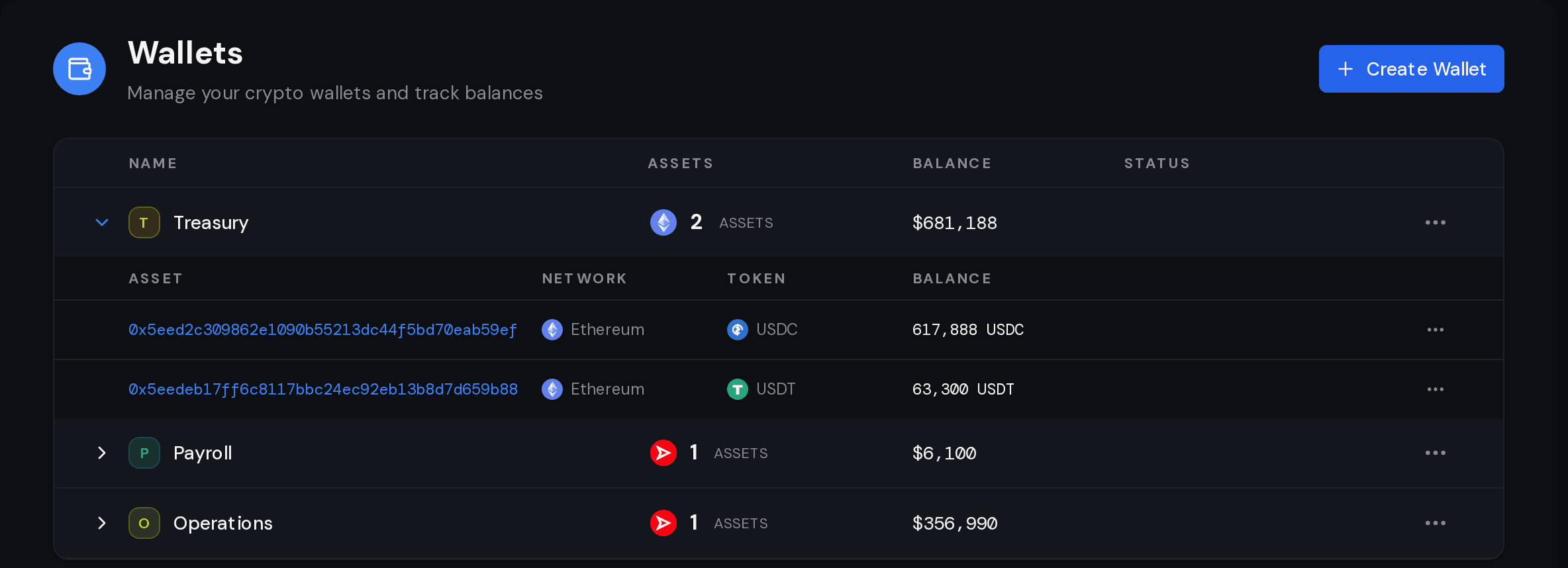
Add the Ethereum address to the same wallet
Ethereum addresses start with 0x and are 42 characters long. Add it with Ethereum and USDT selected. One wallet holds addresses of every network, so the business's USDT sits in one ledger.
- Step 3
Read them together
The ledger lists the USDT transfers of every address you added, newest first, whichever network they are on.
USDT TRC-20 on TRON
Chainbook reads the address's USDT TRC-20 transfers from Tronscan, the public record of TRON, and only those of the USDT contract listed on the supported networks page: a token with the same name on another contract is not imported.
A row shows whether the USDT came in or went out, the amount, and the counterparty: your contact's name for that address, or the address itself, starting with T. When your address sent the transfer, its details add the fee it paid in TRX; when it received one, the fee reads "Paid by another account".
Chainbook imports no USDC on TRON, so a TRON address is one asset: its USDT.
Not tracked on TRON: TRX itself, tokens other than USDT, token approvals, and failed transactions.
USDT ERC-20 on Ethereum
Chainbook reads the address's USDT ERC-20 transfers from Etherscan, the public record of Ethereum, and only those of the USDT contract listed on the supported networks page: a token with the same name on another contract is not imported.
A row shows whether the USDT came in or went out, the amount, and the counterparty: your contact's name for that address, or the address itself, starting with 0x. When your address sent the transfer, its details add the fee it paid in ETH; when it received one, the fee reads "Paid by another account".
The same Ethereum address can be added a second time for USDC; each token is then an asset of its own, with its own balance.
Not tracked on Ethereum: ETH itself, tokens other than USDT and USDC, token approvals, and failed transactions.
Find one payment when someone asks about it
A customer writes that they paid yesterday. Type the amount they name into the search, without commas: the ledger keeps the transfers of exactly that amount, along with any description, address or hash that contains the number.
A supplier sends you a hash instead. Paste it and the ledger narrows to that one transfer. Filters by type, wallet, contact, category and dates work on top of the search, and each filter value tells you how many transfers sit behind it.
Both networks in one file
Export what the ledger shows as one CSV file. Its Asset column holds the address of each row, so the TRON and Ethereum payments can be split apart again in a spreadsheet.
One address, without an account
Before you add an address, the free tools can read it once with no sign-up: whether the issuer has frozen it, and a CSV file of its most recent USDT transfers. Neither saves the address or follows it afterwards; that is what the tracker is for.
The tracker in short
| Tokens and networks | USDT (TRC-20 on TRON, ERC-20 on Ethereum) and USDC (ERC-20 on Ethereum) |
|---|---|
| New transfers | Each address is checked every 10 minutes |
| History per asset | Up to 10,000 transactions per tracked asset (one address with one token); an asset that reaches that stops importing and keeps its history, and the others keep syncing. |
| Wallets per plan | Free: 3 wallets; Pro: Unlimited wallets |
Questions
Can I track a USDT TRC-20 or USDT ERC-20 address without its private key?
Yes. Only the public address is needed. Chainbook reads its transfers from public blockchain data; it cannot sign anything or move funds.
Does it track USDT on other networks?
No. USDT is read on TRON and Ethereum only, from the contracts listed on the supported networks page.
How soon does a new payment appear?
At the next check of its address after the explorer lists it. You do not need to refresh anything or start an import.
Related pages
- Crypto bookkeeping softwareBookkeeping for USDT (TRON and Ethereum) and USDC (Ethereum) wallets, for small teams, at public prices: what it does and what it is not.
- OTC desks and payment operatorsHow an OTC desk or payment operator names its counterparties once and checks each day's USDT transfers against its own records.
- Wallet importAdd an address to a wallet: its USDT (TRON and Ethereum) and USDC (Ethereum) transfers are imported and kept up to date. Read-only, no private key.
- Stablecoin accounting: recording USDT paymentsA bookkeeping workflow for USDT and USDC payments: what to record when a payment arrives or leaves, how to label it, and what to hand to your accountant.