To account for a USDT payment, start with a complete record of it: the date, the amount, the token, the network, the other party, the purpose and the transaction hash. This guide describes how to make and keep that record. How the payment is then treated in your accounts is a decision for your accountant, and this guide does not make it.
This is a description of bookkeeping steps, not accounting or tax advice. Ask a qualified accountant about your own case.
What do your books need to know about a stablecoin payment?
Your books need to know that it is an amount of a named token, on a named network, at a date. They also need a value in your reporting currency, and that value is not for this guide to set. What the issuers state about redemption comes with conditions.
Tether's terms define its token as "the Digital Token referencing a unit of Fiat issued and redeemed by Tether". Circle's terms say that Circle "commits to redeem 1 USDC for 1 USD, subject to these Terms, applicable law, and any fees where applicable". The same terms say: "You may not redeem USDC with Circle unless and until you open a Circle Mint account". Circle describes that account as "for institutional customers" and states that "Circle Mint is not available to individuals". A freelancer or a small business that holds USDC should therefore not assume that it can redeem with the issuer.
Ask your accountant which value to enter and where to take it from. Write the answer down, and apply it the same way to every payment.
What do you record when a payment arrives?
Record the fields in the table on the day the payment arrives, while you still know what it was for.
| Field | What to write | Where it comes from |
|---|---|---|
| Date and time | The moment of the transfer, and the time zone that your list uses | The blockchain |
| Amount | The exact amount received | The blockchain |
| Token and network | For example USDT on TRON. The same token on another network is a different record | The blockchain |
| Sender | The name of the payer, and the address the payment came from | The address is public. The name is yours |
| Purpose | The invoice number or the contract that the payment settles | Your own records |
| Transaction hash | The unique code of the transfer | The blockchain |
| Receiving wallet | Which of your addresses received it | The blockchain |
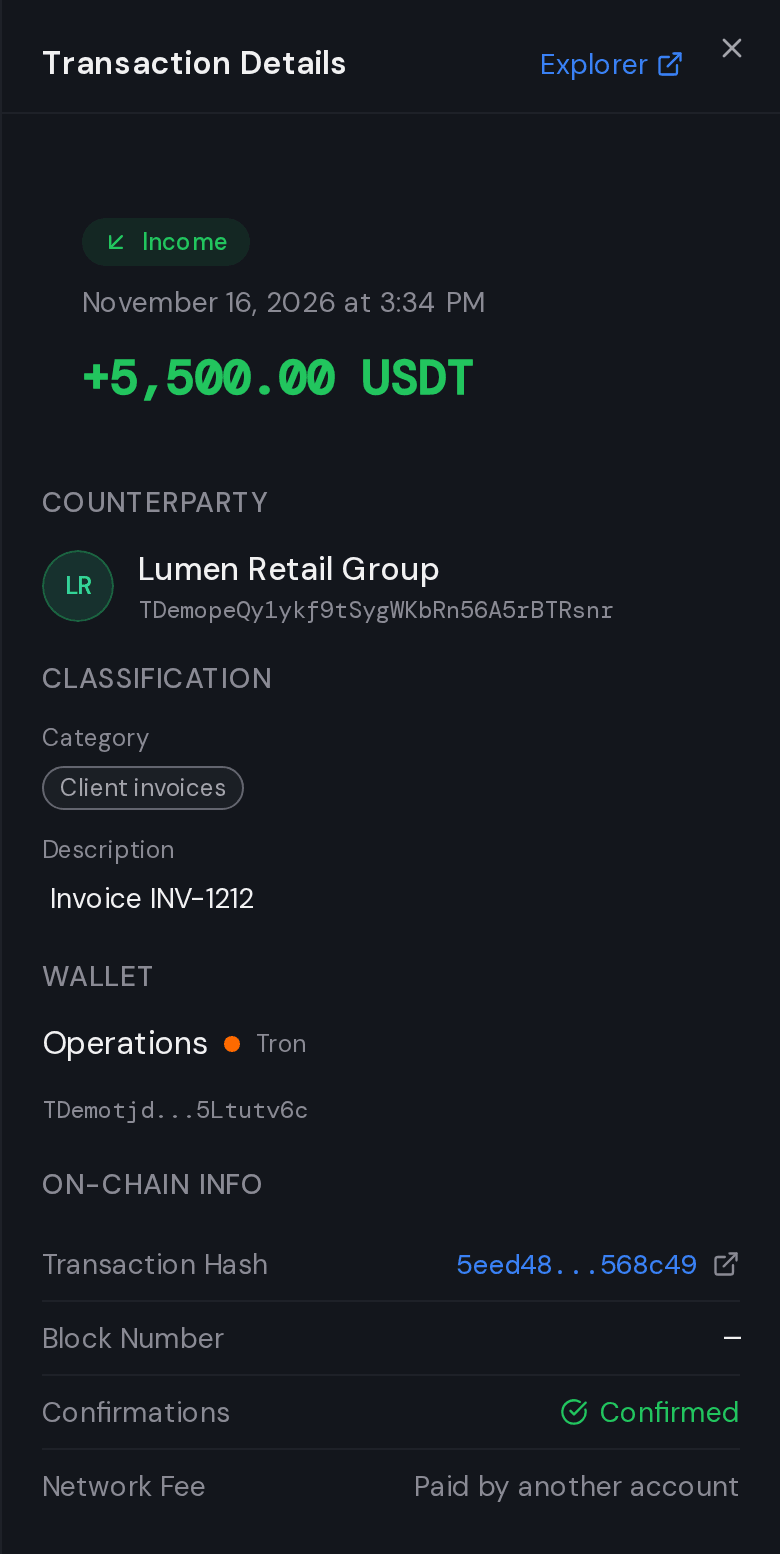
What do you record when you send a payment?
Record the same fields, with the recipient in place of the sender, and add the network fee. The fee is paid in the network's own coin, TRX on TRON and ETH on Ethereum, and not in the stablecoin. Write the fee on a line of its own. The amount of the payment then still matches the invoice that it settles.
How do you label payments so that an accountant can use them?
Give every payment a name, a category and a description.
- Name. Keep one list that connects each address to the person or business behind it. An address alone tells an accountant nothing.
- Category. Agree on a short list of categories with your accountant before you start, so that your groups fit the reports that the accountant prepares.
- Description. Write the invoice number, the contract or the reason. A reader should not need to ask you what the payment was.
What do you do with transfers between your own wallets?
Set them apart as internal transfers, and do not delete them. They explain why a balance moved, and the record is complete only with them. A swap of one token for another is a separate question. Ask your accountant how to record swaps.
How do you connect a payment to its invoice?
Match each invoice to the transfer that paid it, by amount, token, network, date and sender, and write the invoice number in the description of the transfer. A payment that matches no invoice stays an open question until someone explains it. The guide to reconciling crypto payments covers the cases that do not match.
What do you hand to your accountant?
Hand over the record and what a reader needs to understand it:
- The transaction list of the period, with the name, category, description and transaction hash on each line.
- A list of your wallets and their addresses.
- The balance of each wallet at the start and at the end of the period.
- A list of the transfers that you could not explain.
- A note that says how you valued the amounts, as agreed with the accountant.
Ask the accountant which file format to send before the first period ends.
What Chainbook does here
Chainbook keeps this record for USDT (TRC-20 on TRON, ERC-20 on Ethereum) and USDC (ERC-20 on Ethereum), and the USDT transaction tracker page shows the ledger. You add a public address, its transfers are imported, and you save payers and recipients as contacts. You write the invoice number as the description of a transaction. Descriptions have a limit on one plan: Free allows 20 descriptions in all, not per month; Pro has no limit. Imports have a limit: up to 10,000 transactions per tracked asset.
The transactions file that you export has these columns: Date, Amount, From, To, Description, Category, Wallet, Asset, Hash. Its dates are written as DD.MM.YY HH:mm, in the server's time zone, with no time zone in the cell. The file has no column for the type of a transfer, for the network or for the network fee. Add those by hand: the fee of a transfer that your address sent is shown in the details of that transfer. Chainbook's analytics leave swaps out of income and expenses, and count one USDT or USDC as one dollar. It does not issue invoices or prepare tax reports.