Import the USDT (TRON and Ethereum) and USDC (Ethereum) history of an address
Add a public address to a wallet with its network and token, and Chainbook imports that token's transfers, then keeps checking the address for new ones. You paste an address; nothing is signed and no private key is asked for.
How it works
- Step 1
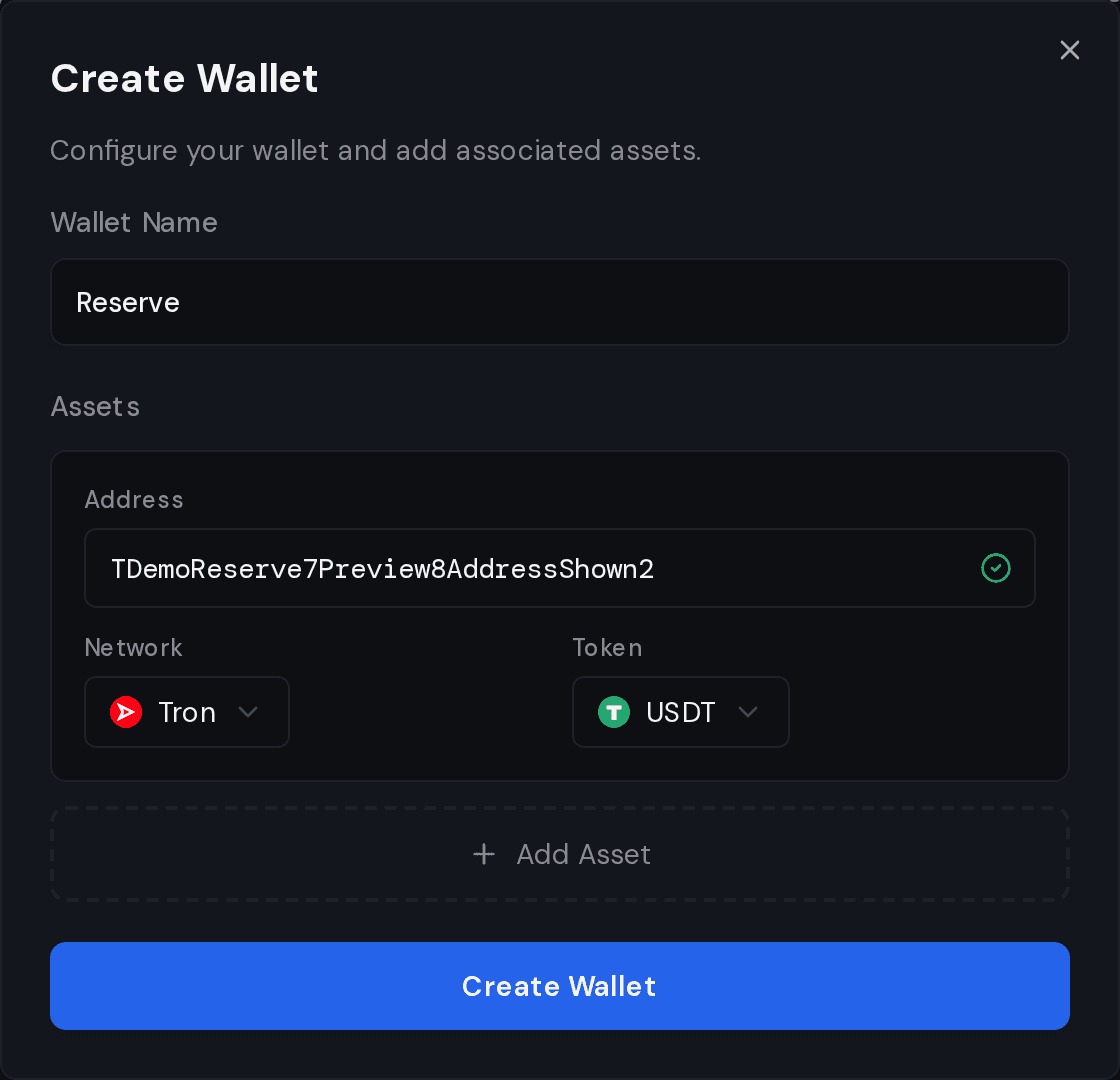
Create a wallet
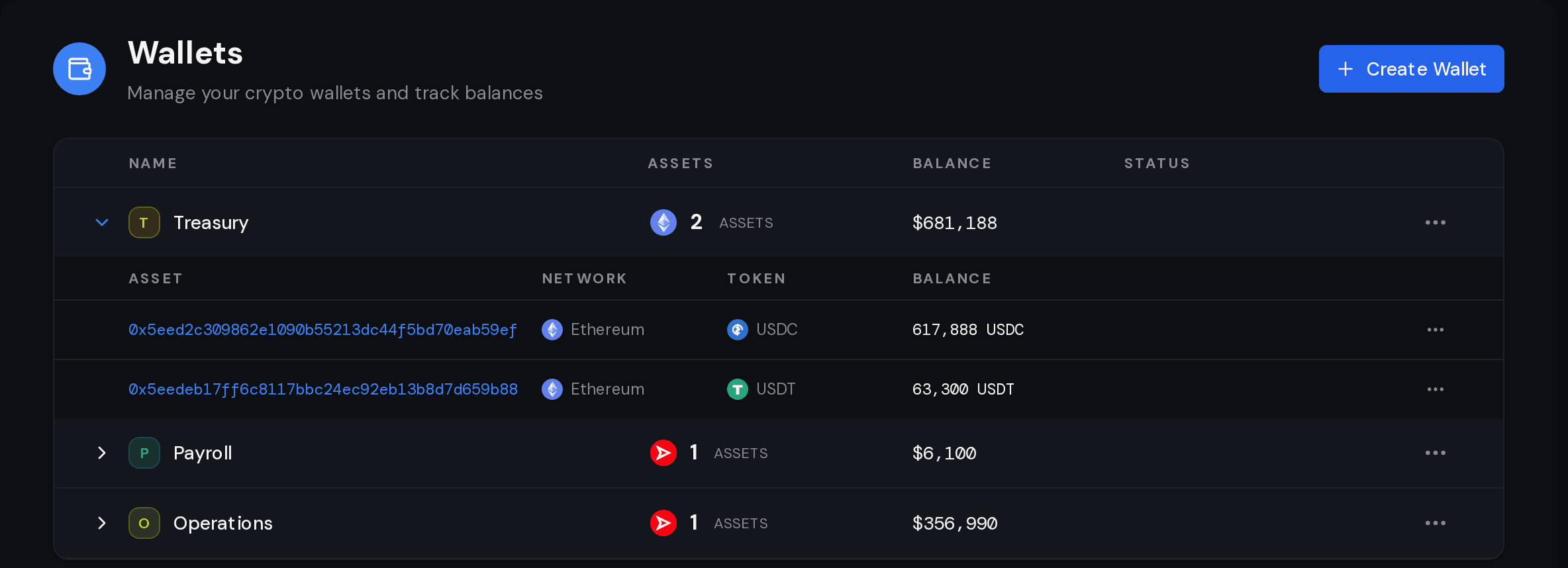
Name the wallet and add an address with its network and token: each of these is one asset. An Ethereum address is added once per token, for USDT and USDC each, and one wallet can hold assets on both networks.
- Step 2
The history is imported
Chainbook reads the asset's past transfers and gives each one a type: income, expense, internal transfer or swap.
- Step 3
New transfers follow
After the first import the address is checked again every 10 minutes, so new transfers reach the ledger without anything to do on your side.
Limits and formats
| Networks and tokens | USDT (TRC-20 on TRON, ERC-20 on Ethereum) and USDC (ERC-20 on Ethereum) |
|---|---|
| Assets per wallet | Up to 20 address and token pairs, on either network |
| History per asset | Up to 10,000 transactions per tracked asset (one address with one token); an asset that reaches that stops importing and keeps its history, and the others keep syncing. |
| Wallets per plan | Free: 3 wallets; Pro: Unlimited wallets |
| Before the first wallet | Verify your email address before adding a wallet. |
What it does not do
- Native TRX and ETH transfers, other tokens and NFTs are not imported.
- Exchange accounts cannot be connected: only public addresses are read.
Questions
Do I have to prove that I own the address?
No. Chainbook reads public blockchain data, so any address can be added. It never asks for a private key or a seed phrase and cannot move funds.
Where do the transfers come from?
From the public block explorers, Tronscan and Etherscan. When an explorer fails or is slow, the next check goes on from where the last one stopped.
Is a Chainbook wallet a crypto wallet?
No. A wallet in Chainbook is a named group of public addresses that you keep books for, such as Treasury or Payroll. It holds no funds and has no keys.
Related pages
- TransactionsEvery transfer typed as income, expense, internal transfer or swap. Search by description, address, hash, category, contact or amount, and label in place.
- CSV exportDownload transactions, contacts, the wallet summary and analytics as CSV files with fixed columns, for your accountant.
- AgenciesHow a Web3 agency paid in USDT and USDC names clients and contractors as contacts, shares wallets with its team, and exports CSV for its accountant.
- Etherscan CSV export and its limitHow to export an address's transactions from Etherscan to CSV, what its record limit is, and how to export a longer history in parts and check it.